
want to make your own little movie with no work?

I like making gifs. I know that’s a little silly to admit, but sometimes the mood just strikes you. In fact, I did one for our birth announcement for our second son a couple of years ago! I used makeagif for that, but truth be told you can find some inappropriate gifs on there. I decided to try a few freebies to see what was new in the gif making world on the web. Here’s some I liked. My photos weren’t sharp to begin with because of the movement but the gif making turns them grainier too. I apologize if you get dizzy, I didn’t slow the gifs down much.  I love gifs in the fall! Moving leaves and pumpkins…so fun. But you could also use your vacation photos for a back to school introduction, make one for a class ice breaker activity in small groups, use it show how to wash hands neatly… so many choices. So little time. Any gif making you’ll be doing? Let me know if I can help.

Gif Maker is super easy to use, and should you like to add music from you tube you can! This was my favorite because it was clean and easy to use and allowed for your preferred sizing.

I used the same pictures for the next gifs on two different sites. Picasion.com is easy to use too, but this is the maximum gif size available and your pictures need to be exactly the same to avoid this annoying bar at the bottom.
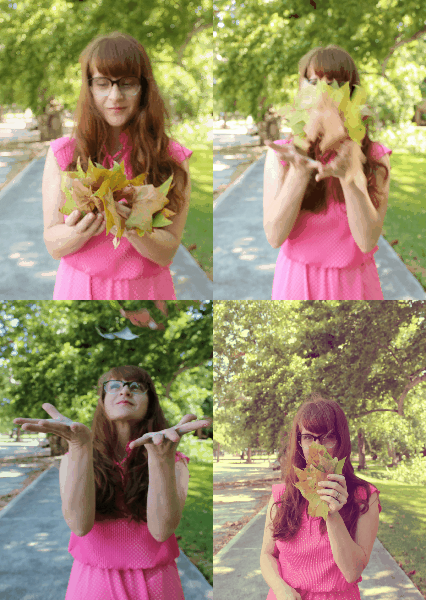
Imgflip.com has a limited size for your gifs with a free account, but you can use either video or photos and can add text. There are only three text fonts available but you can pick colors to match your gif.

time to get appy

I found two apps this summer that I may use in the library. Truthfully I plan to play with them a lot at home but I see possibilities to use them at school, too. I like the party party app because it’s a great way to illustrate a step by step process by pointing and shooting with a phone or iPad. I showed how I made a peach shake for instance, but I thought I could use it to show making a bookmark, searching for a library book, drawing a familiar character…there could be so many things to do with this app. It was around $2.00 but I plan look for a similar app that’s free and will update this post if I find one.

Peaches and the Party Party App

also enjoyed the Color Splash app.  This is a free app that allows you to change your photo to grayscale and selectively recolor some of it. This was the first one I did, not perfectly, but it was fun to try.  I think it would be a great app to use when discussing the way artists and illustrators use specific colors in books to evoke a theme or mood. What if we took out all of the colors in an image except one? Which one is the most important to the illustration to help us understand the story? I can think of lots of fun ways to play with this app…but I might like watching this guy eat an apple the best so far.

let’s get out all our fancy stuff!

As I unpacked my years of collected junk  teaching tools, it occurred to me that while I no longer needed a few of my books there must be a new teacher who would love to have them. I remember shopping for months to build my first few classroom libraries. Instead of taking my extras to a thrift shop I thought it would be fun to host a swap and sale event in the library. Date and time TBA! Hope you’re looking for your shiny stuff.

61